
「refresh」はブラウザの更新(F5キー押下)と同じ動作をします。
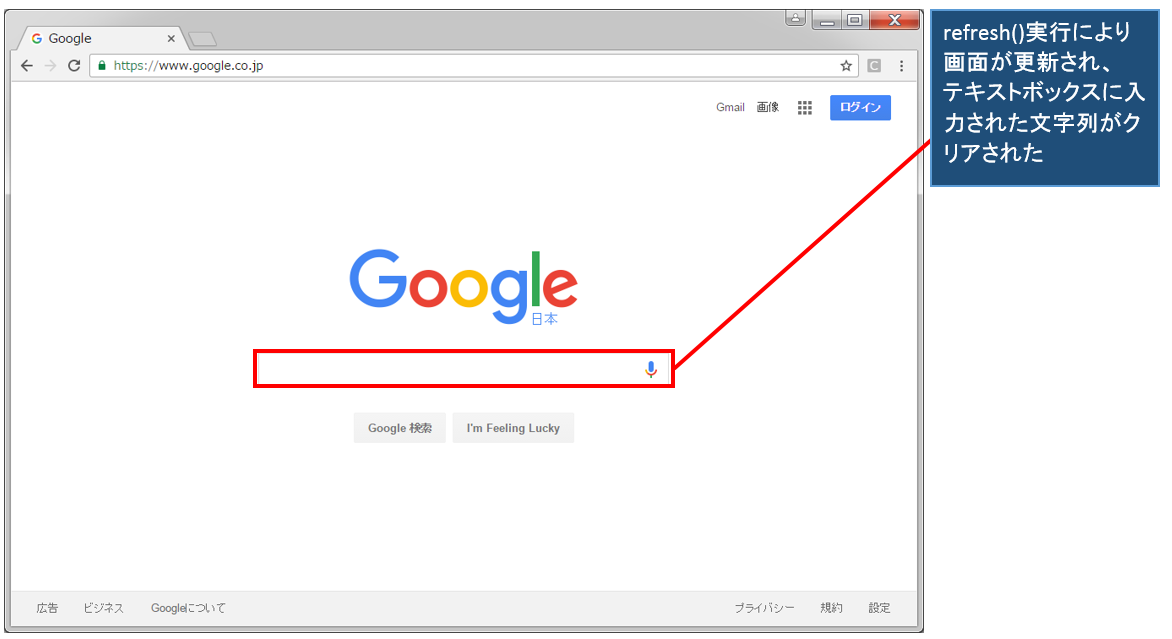
「refresh」を実行することで、確定されていない値や未保存の値はクリアされます。また、リアルタイムの情報などは「refresh」を実行することで、値が新たに更新されます。
更新はカレントページに対して行っていきます。
説明
◆メソッド
  ・void refresh()
◆使用形態
  ・driver.navigate().refresh()
◆備考
  ・ブラウザのリフレッシュと同様の動作をする
◆関連項目
  ・クッキーを指定して削除する
  ・全てのクッキーを削除する
サンプル
import java.time.Duration;

import org.openqa.selenium.By;
import org.openqa.selenium.WebDriver;
import org.openqa.selenium.WebElement;
import org.openqa.selenium.chrome.ChromeDriver;

public class WebTest{
  public static void main(String[] args){
    //Chrome制御のためChromeDriverのパスを指定
	System.setProperty("webdriver.chrome.driver",
		                            "D:\\AutoTest\\chromedriver.exe");
	//Chromeを起動する
	WebDriver driver = new ChromeDriver();
	//Googleページに移行
    driver.get("https://www.google.co.jp");
    //10秒間のDurationを設定
    Duration waitTime = Duration.ofSeconds(10);
    //ページが完全にロードされるまで待機
    driver.manage().timeouts().pageLoadTimeout(waitTime);
    //検索テキストボックスの要素を取得
    WebElement element = driver.findElement(By.name("q"));
    //検索テキストボックスに"Test"と入力
    element.sendKeys("Test");
	//「Test」とテキストボックスに入力されていることを確認
	try{
	   Thread.sleep(5000);
	 }catch (InterruptedException e){
   }
    //ページを更新(ブラウザのリフレッシュボタン)
    driver.navigate().refresh();
  }
}
※selenium version 4.1.4で動作確認をしています(ブラウザのUIや属性値などが変更された場合、実行結果が異なる可能性があります)
実行結果
動画デモ
※字幕をONにすると解説のテロップが表示されます※